To prime a 3D print before painting, remove support marks, smooth rough areas, clean the surface, and apply a compatible primer in thin coats. Let each coat dry as directed, then inspect and lightly sand imperfections before adding color. The right process depends on the model’s material, detail, and intended finish.
Why Primer Matters for PLA Filament
Fused filament fabrication can leave visible layer lines, small gaps, and support marks. Primer creates a more uniform base for paint and makes defects easier to identify. Filler primer may soften shallow lines, while a fine surface primer can suit an already smooth model.
When preparing a model made with pla filament, remember that primer cannot replace surface preparation. Display pieces may need more sanding than functional prototypes, and thick coatings can hide fine details. Choose the finishing level according to the model’s shape and intended appearance.
- Clean Up and Prepare the Model
Remove supports and trim strings or blobs with suitable tools. For seams and support scars, use files or sandpaper, gradually moving from coarser to finer grit. Fill larger gaps with compatible modeling putty, allow it to cure, and sand it flush instead of trying to cover deep defects with primer alone.
According to Prusa Research’s post-processing guide, sanding and filler can be used in stages to reduce surface irregularities before painting. Remove sanding dust with a soft brush or a suitable cleaning method, then let the model dry thoroughly. Test unfamiliar cleaners on a hidden area first, since some products can damage plastic or filler.
- Choose a Compatible Primer
Select a primer labeled as suitable for the model’s plastic and the paint system you plan to use. Filler primer can help with models that have noticeable layer lines; fine surface primer is often better for miniatures and textured surfaces where thick coatings could obscure detail.
Read the label for material compatibility, spray distance, ventilation, protective equipment, drying time, and recoat intervals. PLA can be affected by some solvents, so do not assume every general-purpose or automotive product is appropriate. Test the primer and paint combination on a spare print or concealed area first.
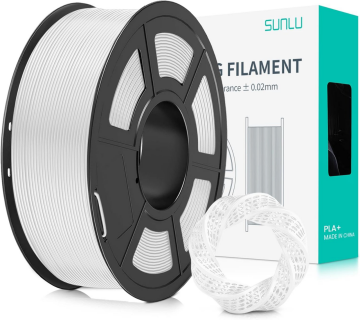
Material choice matters before painting, too. SUNLU’s official PLA product information describes its standard PLA as easy to print with low warping, suitable for everyday models and prototyping.
The final surface still depends on print settings, geometry, support removal, and sanding. For models with narrow grooves, recessed lettering, or delicate textures, choose a primer that builds thinly and inspect the first coat before continuing.
- Apply Primer in Thin, Even Coats
Shake or mix the primer as instructed. For spray products, keep the can moving with smooth, overlapping passes. Apply a light coat and add another only when the instructions permit. Heavy coats can pool in corners, obscure details, or leave difficult-to-remove drips.
Prusa Research’s post-processing guide recommends using long, smooth strokes and briefly covering each area rather than lingering in one spot. The guide gives roughly 20 cm as an example distance, but the correct distance depends on the product. Follow the label first, work in a well-ventilated area, and use the specified protective equipment.
- Inspect, Sand, and Reapply if Needed
After the primer dries, inspect the model under bright, angled light. The coating can reveal layer lines, pinholes, ridges, and support marks. Sand affected areas with fine-grit paper, remove dust, and apply another light coat if needed. Repeat selectively instead of building up a thick layer.
The condition of your 3D printing consumables and the consistency of your settings can affect how much finishing a model needs. If stringing, gaps, or uneven extrusion appear on the unpainted print, correct those issues before priming to reduce extra sanding.
Allow the final coat to dry or cure for the period stated by the manufacturer. A surface that feels dry may not be ready for another product, and rushing this stage can cause uneven coverage or damage during sanding.
- Paint and Finish the Model
Apply color in thin layers using a brush, airbrush, or spray paint suited to the project. Let each layer dry according to its label, and keep coats thin so recessed details are not flooded. A compatible clear coat can add protection or change the sheen. Test it first, because clear coats may alter the surface appearance.
| Problem after priming | What to check |
| Layer lines remain visible | Sand or fill the affected area, then apply a light primer coat |
| Drips or pooled primer | Let the coating dry fully, sand smooth, and use lighter passes |
| Rough or dusty surface | Remove contamination and review application conditions |
| Peeling or poor adhesion | Check surface cleanliness and product compatibility |
Follow each product’s instructions and test unfamiliar combinations before applying them to a finished model.
For material options, SUNLU offers PLA filament and other 3D printing consumables to suit different finishing needs. Match the material to the printer and intended model, then focus on cleanup, compatible primer, and patient sanding. Thin coats and inspection between stages help preserve fine details while giving paint a cleaner foundation.